Participate in the Auction

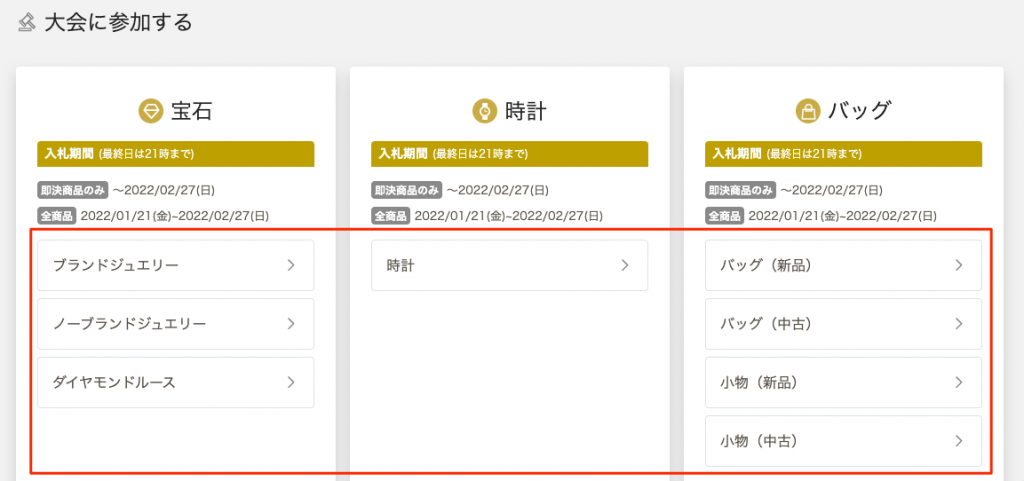
You can participate in the auction by selecting an item and entering your bid amount during the preview and bidding period.
This page provides easy-to-understand instructions on how to operate the bidding process and use the convenient functions.

1. Select a product

Please find the item you are looking for in each auction on the bidding site. On the detail page, you can check the item description, images, and current bidding status.

2. Enter the bid amount

Bids will be placed according to the minimum add-on unit, so please check current price carefully before entering an amount.
To prevent incorrect bids, please check the information you have entered carefully before operating the system.

Current PriceMinimum Add-on Amount
Less than 50,000 yen1,000 yen
50,000 yen or more but less than 100,000 yen2,000 yen
100,000 yen or more but less than 300,000 yen5,000 yen
More than 300,000 yen but less than 500,000 yen10,000 yen
500,000 yen or more but less than 1,000,000 yen20,000 yen
More than 1 million yen30,000 yen
★Watches only, over 300,000 yen10,000 yen

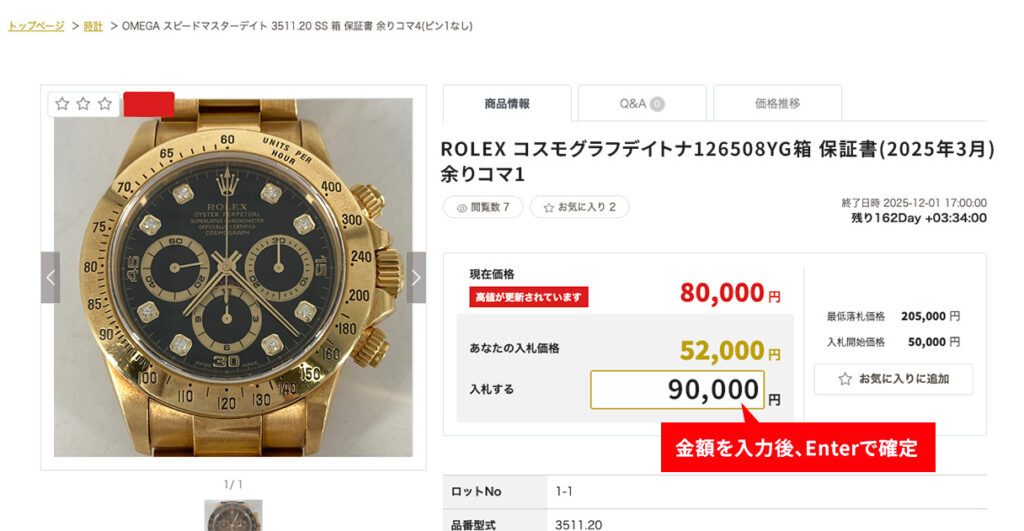
To place a bid, enter your desired bid amount on the item detail page.
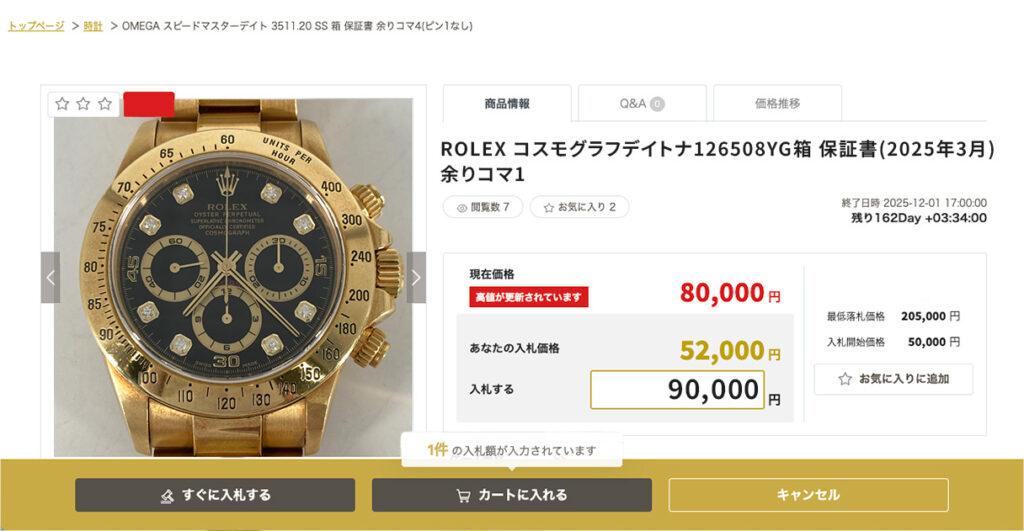
Bidding is not yet complete.

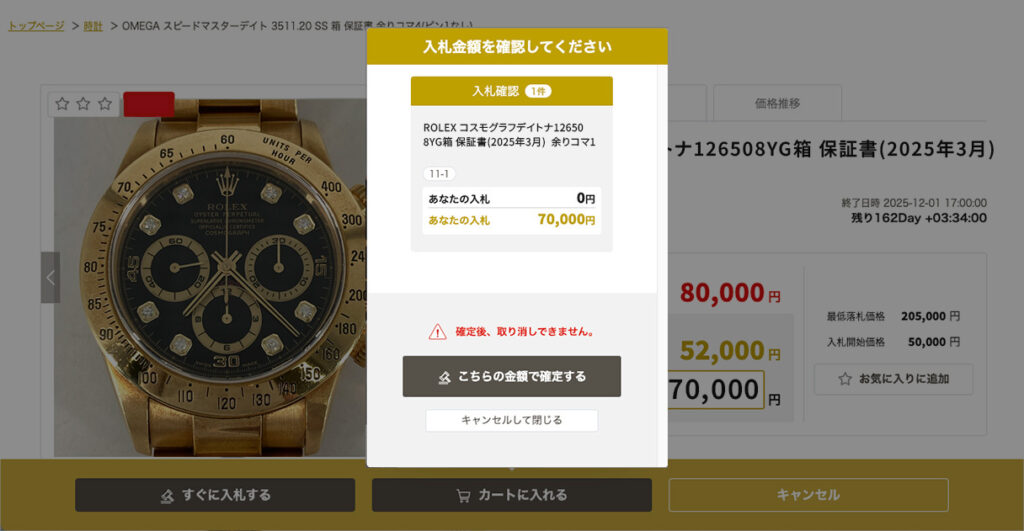
After entering the amount and confirming with the Enter key, the "Bid Now" or "Add to Cart" button will appear at the bottom of the screen.

Click on "I confirm this amount" to complete your bid.

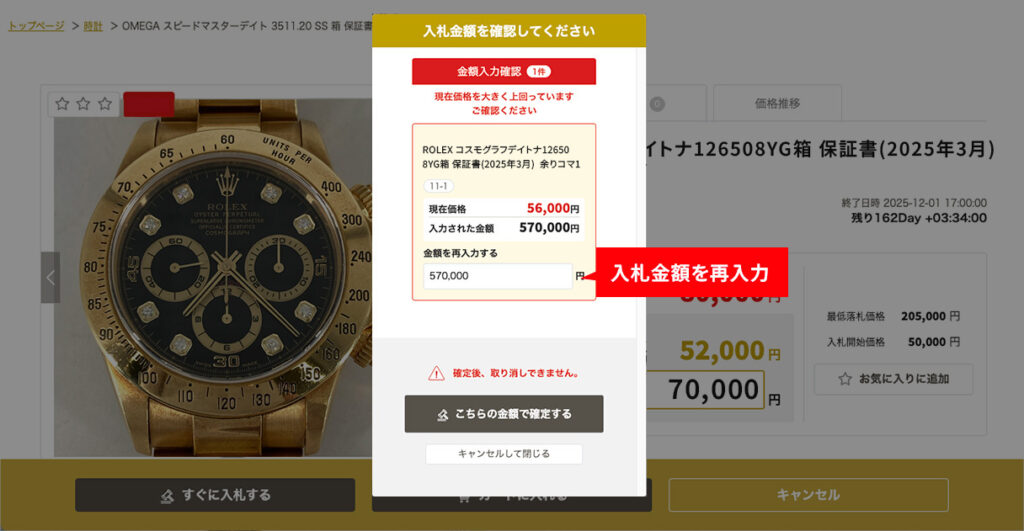
Note: If the bid amount is greater than current price, the following message will appear.

最低上乗せ価格を含む入札金額の自動入力

金額入力欄が未入力の状態で「+」を押すと、「現在価格」+「最低上乗せ価格」を反映した入札可能な金額が自動で入力されます。金額入力後は、「+」「−」ボタンで1,000円単位で増減できます。
※他入札がない場合はスタート金額を表示します。

3.入札方法

個別入札|商品ごとに1点ずつ入札

各商材の一覧ページから商品詳細ページへ遷移し、表示されている入札金額入力欄から金額を入力して入札を行います。

お気に入り機能|検討済みの商品だけを効率よく入札

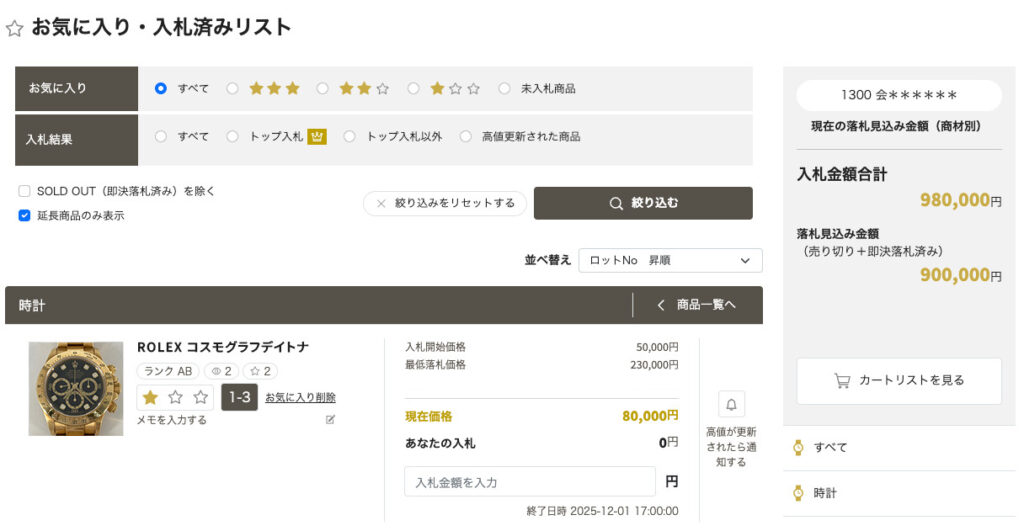
With the "Bookmark Favorites" feature, you can save items you are interested in from the product page without entering a bid amount!
By adding only the items you are interested in to your favorites in advance, you can enter bidding amounts for them at a later time.

カート機能|入札金額を入力して複数商品をまとめて入札

複数商品を、入札合計金額を確認しながらまとめて入札できます。入札金額を入力後、エンターキーを押すと「すぐに入札する」または「カートに入れる」を選択できます。カートに入れた商品は一時的に保存されます。

Extension of Bidding Deadline Rules

The auction bidding deadline is normally 5:00 p.m. However, if a bid is placed five minutes before the bidding deadline, the deadline will be extended. The rules for extensions are as follows

■If you bid 5 minutes before the bidding deadline (16:55:01 to 17:00)

When the first bid is received during this 5-minute period, the deadline will be extended to 17:05. If there are subsequent bids within this 5-minute period, the extended time will remain unchanged at 17:05.

■If bids are received during extended hours (after 17:00)

If new bids are received during the extended time (5 minutes), the closing time will be further 5 minutes extension I will do so.
Example:
Bid at 16:56 → Deadline is Extended until 17:05
Bidding at 16:58 → Extended time remains the same As of 17:05
Bidding at 17:02 → Deadline is Extended until 5:10 p.m.
Bidding at 17:06 → Deadline is Extended until 5:15 p.m.

■Extension is limited to 23:59:00 on the same day.

It will not be extended after that.

Although a countdown of the closing time is displayed on the product page, the display may be delayed due to the communication environment or other factors. Please allow plenty of time for bidding.