You can participate in the auction by selecting an item and entering your bid amount during the preview and bidding period.
This page provides easy-to-understand instructions on how to operate the bidding process and use the convenient functions.
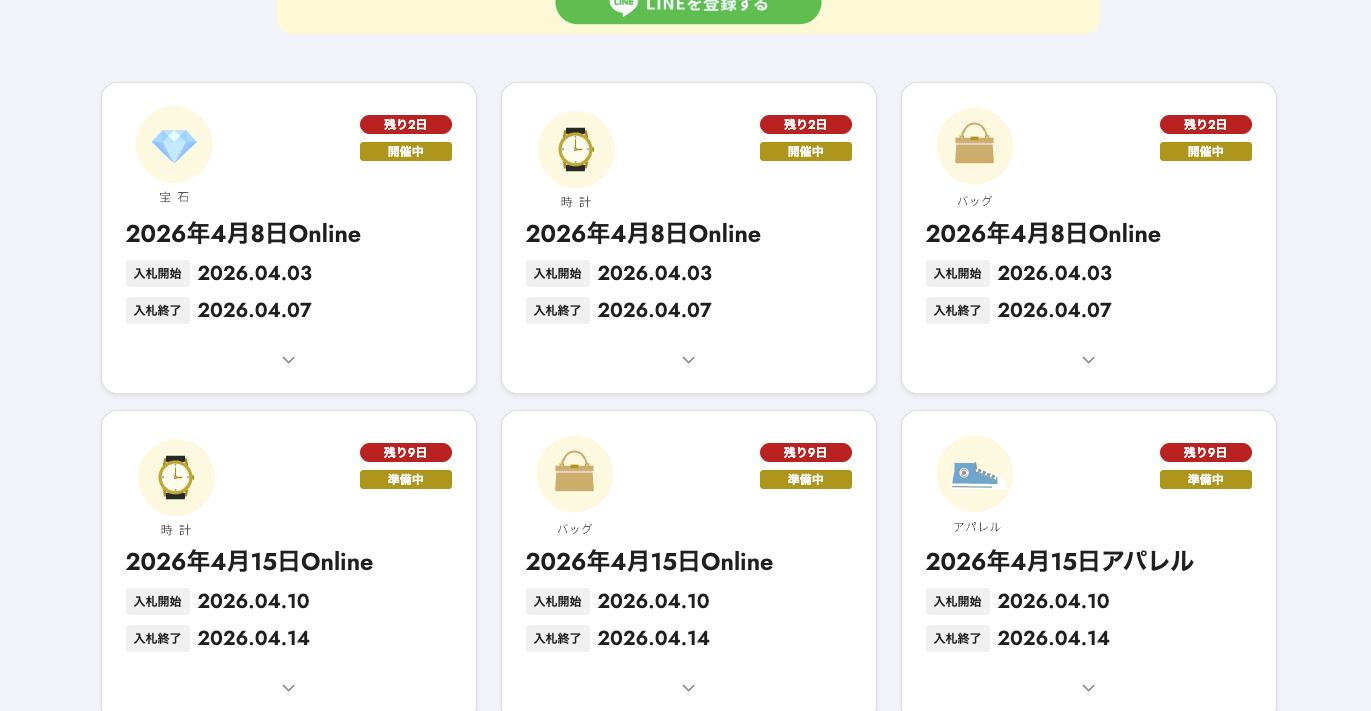
1. Select a product
Please find the item you are looking for in each auction on the bidding site. On the detail page, you can check the item description, images, and current bidding status.
2. Enter the bid amount
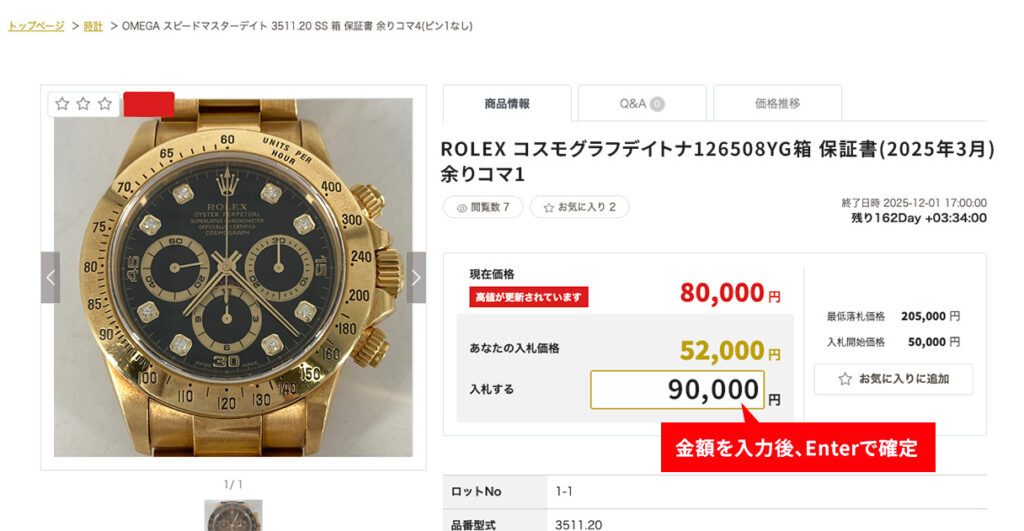
Bids will be placed according to the minimum add-on unit, so please check current price carefully before entering an amount.
To prevent incorrect bids, please check the information you have entered carefully before operating the system.
To place a bid, enter your desired bid amount on the item detail page.
Bidding is not yet complete.
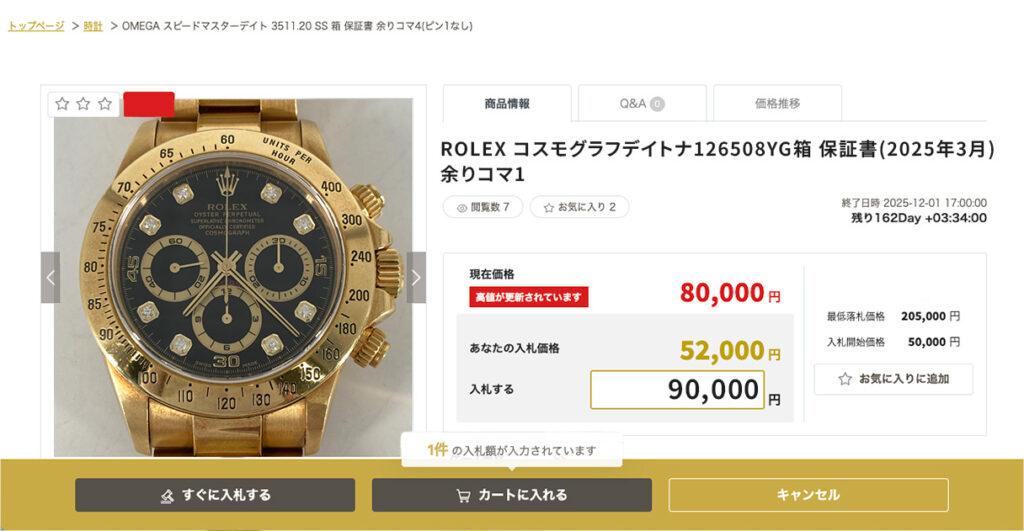
After entering the amount and confirming with the Enter key, the "Bid Now" or "Add to Cart" button will appear at the bottom of the screen.
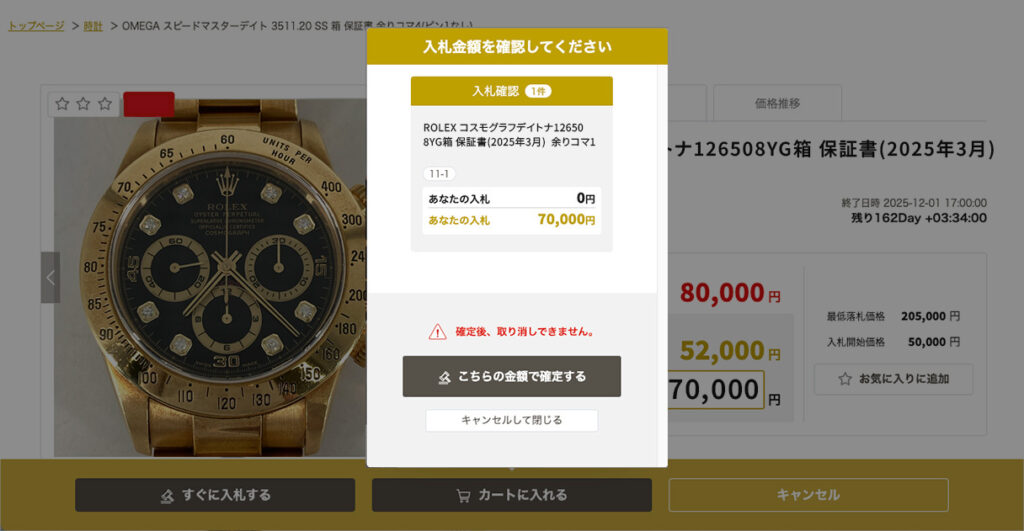
Click on "I confirm this amount" to complete your bid.
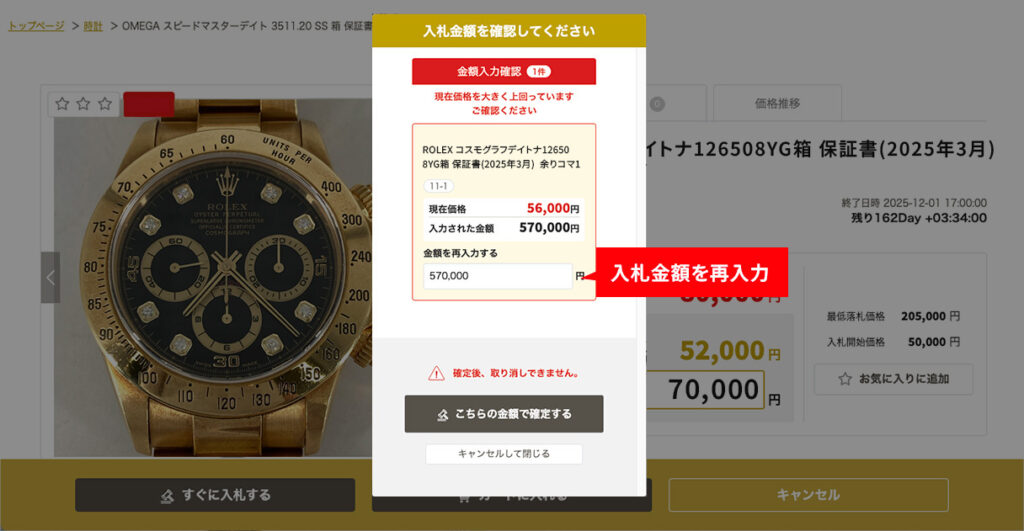
Note: If the bid amount is greater than current price, the following message will appear.
Automatic entry of bids, including minimum bidding price

Pressing the "+" button while the amount input column is not filled in will automatically input the amount available for bidding, which reflects "current price" + "minimum bidding price". After entering the amount, you can increase or decrease it in increments of 1,000 yen by pressing the "+" or "-" buttons.
*If there are no other bids, the starting price will be displayed.
3. Bidding Method
Individual Bidding|Bid on each item one by one
Go to the product detail page from the list page of each product, and enter the amount from the bidding amount input column displayed to place a bid.
Favorite function|Efficient bidding for only the products you have already considered
With the "Bookmark Favorites" feature, you can save items you are interested in from the product page without entering a bid amount!
By adding only the items you are interested in to your favorites in advance, you can enter bidding amounts for them at a later time.
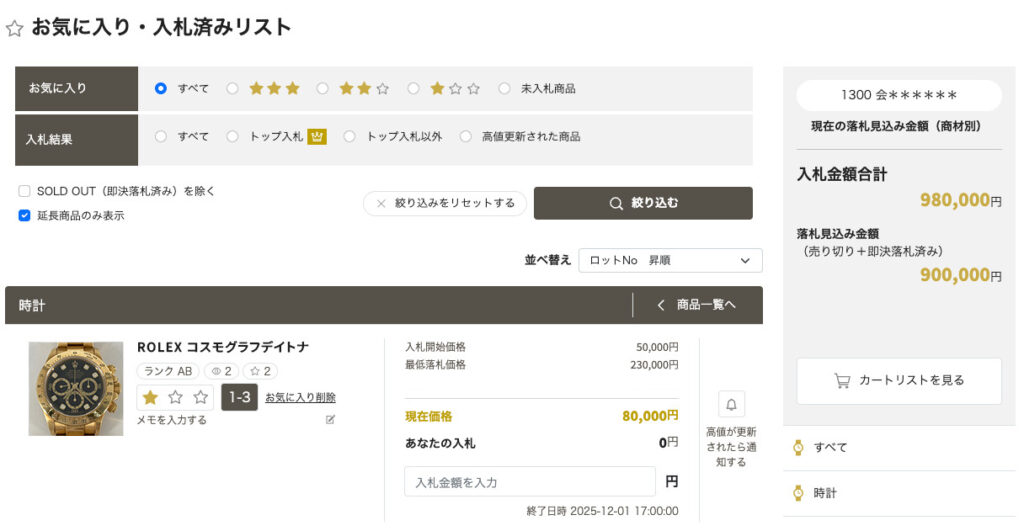
Cart function|Enter bid amounts and bid on multiple items at once
You can bid on multiple items at once while checking the total bid amount. After entering the bid amount, press enter to select "Bid Immediately" or "Add to Cart". Items placed in the cart are temporarily saved.
Extension of Bidding Deadline Rules

The auction bidding deadline is normally 5:00 p.m. However, if a bid is placed five minutes before the bidding deadline, the deadline will be extended. The rules for extensions are as follows
■If you bid 5 minutes before the bidding deadline (16:55:01 to 17:00)
When the first bid is received during this 5-minute period, the deadline will be extended to 17:05. If there are subsequent bids within this 5-minute period, the extended time will remain unchanged at 17:05.
■If bids are received during extended hours (after 17:00)
If new bids are received during the extended time (5 minutes), the closing time will be further 5 minutes extension I will do so.
Example:
Bid at 16:56 → Deadline is Extended until 17:05
Bidding at 16:58 → Extended time remains the same As of 17:05
Bidding at 17:02 → Deadline is Extended until 5:10 p.m.
Bidding at 17:06 → Deadline is Extended until 5:15 p.m.
■Extension is limited to 23:59:00 on the same day.
It will not be extended after that.
Although a countdown of the closing time is displayed on the product page, the display may be delayed due to the communication environment or other factors. Please allow plenty of time for bidding.