This function allows you to temporarily store bidding amounts. This feature supports efficient and systematic bidding by allowing you to compare multiple items and manage the amounts of items you plan to bid on.
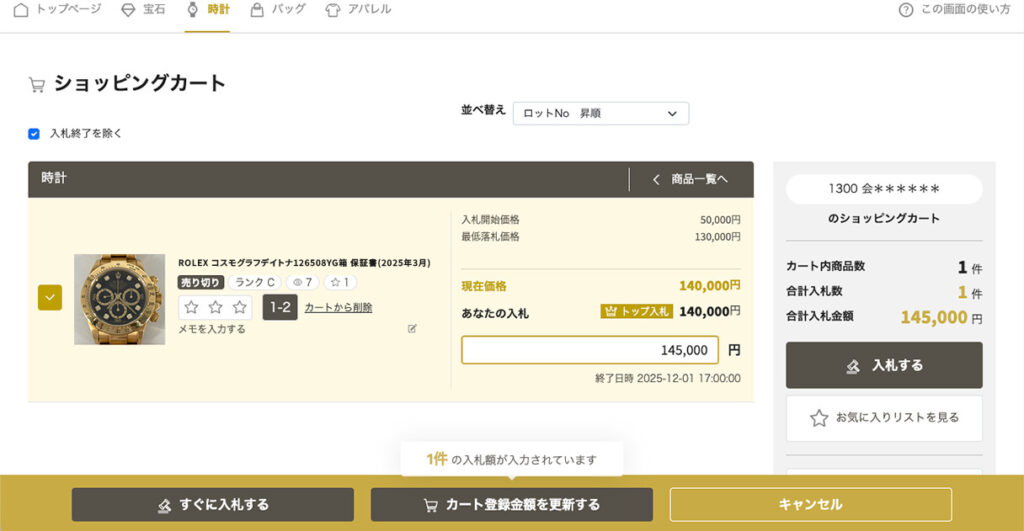
Bidding items can be adjusted using checkboxes
Simply check the box on the left side of the product to adjust your bid in the shopping cart to avoid going over budget.
| Total Bids | This is the total number of items registered in the cart that are checked. Clicking the "Bid" button will place bids on these items. *This is not the number of items you have already bid on. Please note that this is not the number of items you have already bid on. |
| Total Bid Amount | This is the total "bid amount" entered for the items in the cart that have a check mark in the box. It is not the total amount of bids already placed. Please note that this is not the total bid amount. |
| Remove from all carts | Remove all eligible merchandise items from the cart. *Bids that have been placed cannot be canceled. |
If you change the amount in the shopping cart
If you change the amount in your shopping cart, be sure to click the "Update Cart Amount" button in the center of the gold bar at the bottom of the screen, as it will not be updated with just the change.
Excelを使って一括カート登録をする
①Excelをダウンロード
下記のいずれかの画面の右上にある「一括入力」ボタンをクリックし、Excelファイルをダウンロードしてください。
| ダウンロード可能な画面 | ・商品一覧画面 ・カート画面 ・お気に入り・入札済みリスト画面 |

②データを入力する
ダウンロードしたExcelを開き、下記の項目を入力してください。
金額
入札金額を数値のみ入力します。
※0を入力すると、カートから削除されます。
※数字以外の文字を入力すると、エラーになります。
お気に入り
お気に入り度を 1, 2, 3 のいずれかの数値で入力します。
※これ以外の数値や文字が入力された場合は無効となりますが、エラーにはなりません。
メモ
商品に関するメモを自由記述で入力できます。
※最大100文字まで入力可能です。
【重要】上書きの仕様と更新の仕組み
◎値を入力した場合:登録済みのデータは新しい値で上書きされます。
◎「空白(未入力)」にした場合:既存のデータは上書きされず、そのまま保持されます。
★一部の商品だけを変更したい場合は、変更したい箇所だけに入力し、変更しない箇所は「空白」のままアップロードすることで、安全にデータを更新できます。
③ファイルをアップロードする
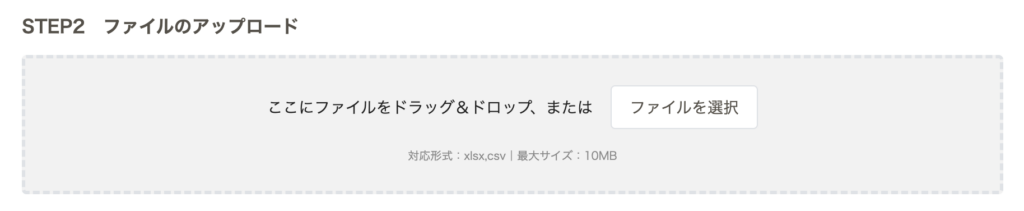
| 対応ファイル形式 | .xlsx .csv |
| ファイルの選択 | 添付したファイル名が画面に表示されます。複数ファイルの同時添付はできません(新しくファイルを選択すると上書きされます)。 |
④登録完了
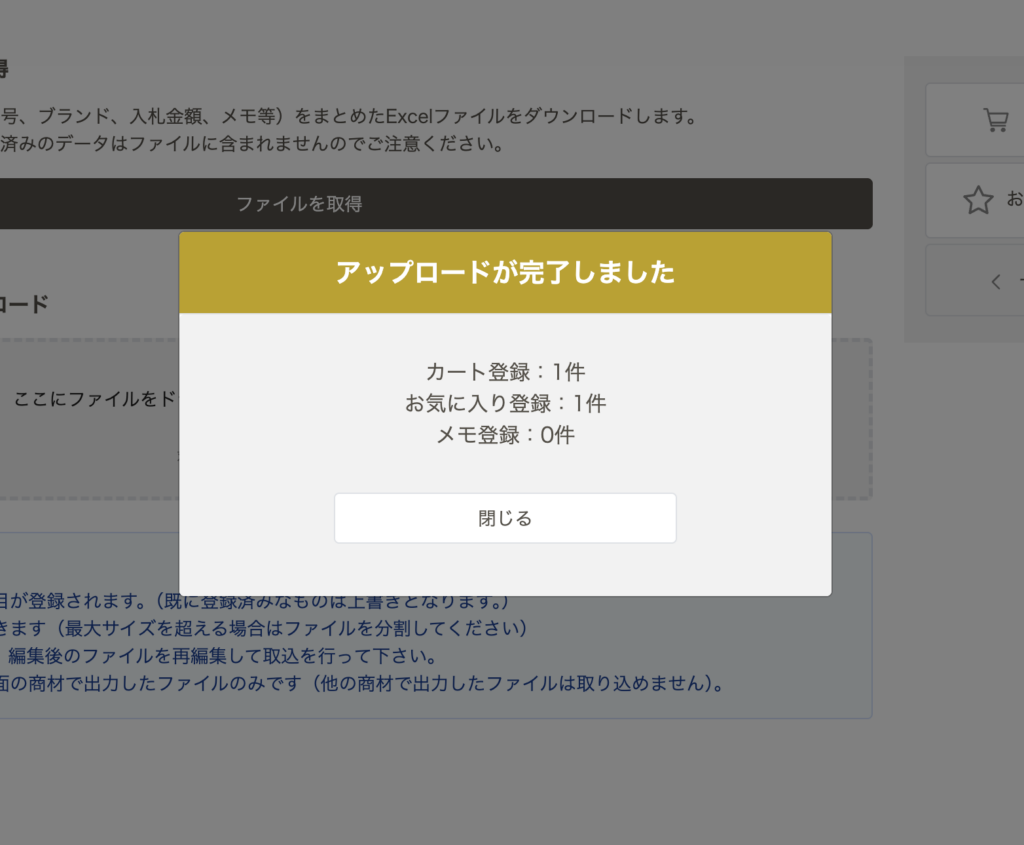
アップロード処理が完了すると、画面上に「〇〇に何件登録されたか」の処理結果(登録件数)が表示されます。対象商材の全出品点数を一括で登録することが可能です。
※Excelアップロード時点では入札確定となりませんので、必ず『カート』からの入札手続きをお願いいたします。
iOSユーザー向け注意事項
全角数字の入力エラーについて
iOSの日本語キーボードで数値を入力すると、全角数字(例:10000)として入力されやすくなります。システムは半角数値のみを受け付けるため、必ず半角数字で入力をお願いします。
Numbers形式の誤アップロード防止
Excelがインストールされていない端末にダウンロードすると、『Numbers』というアプリに自動で変換されます。Numbersで編集は可能ですが、保存は『書き出し』から『.xlsx』『.csv』で保存をして、アップロードください。